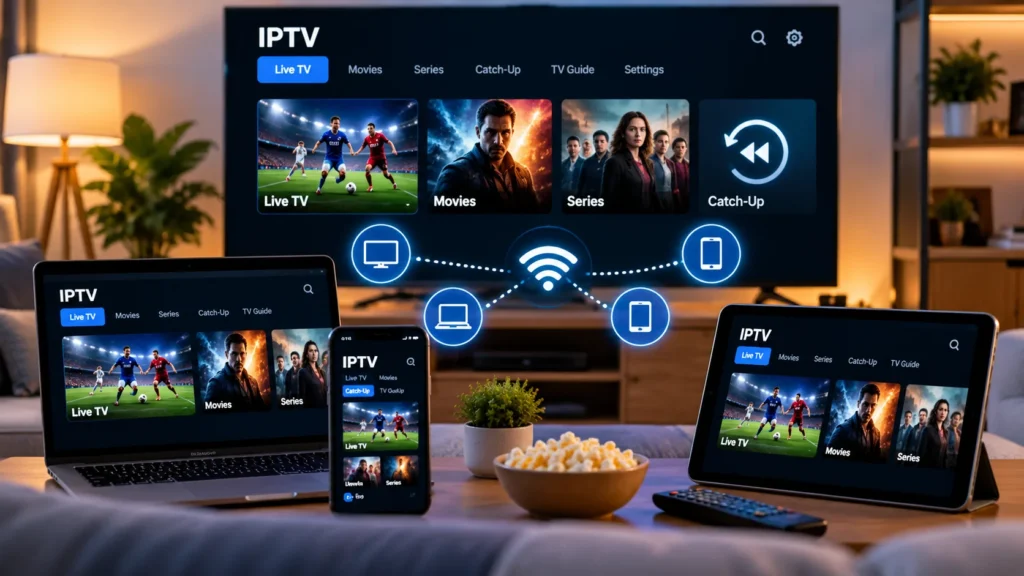
The game is on in the living room. Someone else wants to watch a show upstairs. Both TVs have an IPTV player installed, so you assume you’re all set. Then the second screen opens a channel, and the first one stops playing.
This is where IPTV multi connections matter. The number of TVs in your home and the number of streams your subscription allows are two different things. Getting that distinction right saves a lot of confusion when you’re comparing IPTV subscription options for viewers in the USA.
Here’s how connection limits work, what counts as a second stream, and how to work out what your household actually needs. We’ll also cover the common reasons a second screen fails, even when your internet connection seems fine.
What Are IPTV Multi Connections?
An IPTV connection usually refers to one stream playing at a particular moment. A subscription with two simultaneous connections is designed to allow two streams to play at the same time, subject to the service’s terms and technical limits.
That’s different from having an IPTV app installed on two devices. Some services let you sign in on several devices but restrict how many can watch at once. Others apply device-registration or household restrictions as well. Always check your own provider’s rules rather than assuming that every subscription works the same way.
A useful example is YouTube TV. Its official help documentation describes a base plan that allows up to three devices to stream simultaneously. That is YouTube TV’s policy, not a universal rule for every IPTV service.
Devices vs. Simultaneous Streams: The Difference
Picture a household with a Fire TV Stick in the living room, a Smart TV in the bedroom, a tablet in the kitchen, and a laptop on the desk. Four devices can have video apps installed, but that doesn’t tell you how many people are actually watching at the same time.
If one person watches the living-room TV while everyone else is doing something different, one active stream may be enough. If the bedroom TV starts a different channel at the same time, the household now needs two simultaneous streams—assuming each screen is playing one stream.
IPTV multi connections are subject to each provider’s policy. Some services count active video sessions; others may also restrict registered devices, networks, locations, or the number of accounts. Read the subscription terms or ask support to confirm which limits apply.
How Many IPTV Multi Connections Does Your Household Need?
Don’t start by counting every screen you own. Think about a normal evening and count how many streams could realistically be playing at once.
| Watching situation | Simultaneous streams to check for |
|---|---|
| One person watching one TV | 1 |
| Two people watching different shows on separate screens | 2 |
| A living-room TV, bedroom TV, and tablet all playing at once | 3 |
| Four independent screens streaming at the same time | 4 |
These are examples of simultaneous use, not plan recommendations or promises about what a particular provider offers. Some services don’t offer extra connections at all, while others charge for them or apply household restrictions.
It’s also worth thinking about your busiest viewing period rather than an average afternoon. If everybody tends to watch something different on Sunday evening, that’s the moment your connection limit needs to cover.
What Counts as an Extra IPTV Connection?
In a typical simultaneous-stream setup, a second TV actively playing another channel uses a second connection. Watching the same channel on a phone and a television may still count as two streams, because both devices are requesting video.
There are a few less obvious situations that can affect IPTV multi connections. They’re worth asking about before you pay for extra streams.
Using two different IPTV apps
Switching from one player to another doesn’t increase your subscription allowance. Your provider’s limit applies to the streams delivered through your account, not just the app you happen to open.
An IPTV player and an IPTV service are separate products. For example, TiviMate’s Google Play listing makes clear that it is a media player and doesn’t include TV channels or a streaming subscription. An app upgrade cannot grant extra streams that your content provider hasn’t authorized.
Watching two channels in multiview
Some players can display more than one channel on the same screen. Don’t assume that one TV means one connection in that situation: each channel may require its own stream, and the allowance depends on how the player and provider handle multiview.
If you want to use multiview regularly, test it or ask your provider how many streams it uses with your subscription.
Leaving a player open on another device
Sometimes a stream continues in the background or a session takes time to close after a device disconnects. If your account reports that its connection limit has been reached when only one person is watching, close playback on your other devices before trying again.
Recording while watching live TV
Depending on the recording system, saving one live stream while watching another may require two active streams. Ask the player developer and content provider how their recording feature works; there’s no single rule that covers every DVR setup.
How to Use IPTV on Two TVs at the Same Time
Setting up IPTV multi connections on two TVs is usually straightforward if your subscription permits two simultaneous streams. You still need a compatible player and authorized access details on each device.
- Confirm the connection allowance. Ask your provider how many simultaneous streams your plan supports and whether both TVs must be in the same household or network.
- Choose compatible players. Check the app store and installation requirements for each device. Our Firestick setup guide and Android TV Box guide cover two common setups.
- Enter the authorized access details. Follow your provider’s instructions for each player, and keep passwords and playlist URLs private.
- Start one stream, then the other. Open a channel on the first TV. Leave it running and start a different channel on the second.
- Check both screens. Let them play for several minutes. If one stops, note the exact error or behavior before changing anything.
If you’re new to IPTV players, our beginner setup guide explains playlists, login methods, TV guides, and first-play troubleshooting in more detail.
Why Doesn’t IPTV Work on Two Devices at Once?
A second stream failing doesn’t automatically mean your internet is too slow. When troubleshooting IPTV multi connections, work through these checks before buying another plan or replacing your streaming stick.
You’ve reached your subscription’s stream limit
This is one of the first things to check if one screen stops as soon as the other starts. Confirm your plan’s allowance with your provider, then close playback on any device you’re no longer using.
One of the players is still holding a session
Exit the video on your other device rather than simply switching off the TV screen. If the connection appears stuck, follow your provider’s recommended sign-out or session-reset process.
The app and the subscription have different limits
A player’s license may allow installation on multiple devices, but that doesn’t mean your IPTV account permits several live streams. Check the app’s device rules and your provider’s connection rules separately.
Your Wi-Fi can’t handle both streams reliably
Try playing each stream separately. If both work on their own but buffer together, test your network and available bandwidth. Move a device closer to the router or try Ethernet if your hardware supports it.
For a general reference, Netflix recommends a stable connection of at least 5 Mbps for its own 1080p streams and 15 Mbps for its own 4K streams. Those numbers describe Netflix, not a guaranteed requirement for IPTV; the bandwidth your setup needs depends on the actual video bitrate and other traffic on your network.
There’s a device, household, or location restriction
Some streaming plans restrict which devices, households, or locations can share access. An extra-connection allowance doesn’t necessarily override those rules. Check the terms rather than trying to work around the restriction.
Do More Connections Improve IPTV Picture Quality?
Not by themselves. A larger connection allowance lets more streams play simultaneously when the service supports it. It doesn’t automatically increase the bitrate or quality of any one stream.
In fact, several streams at once can put more pressure on a weak Wi-Fi connection. If a household wants to run two TVs in 4K, both streams need enough bandwidth and each device needs to support the video format being delivered.
If picture quality is your main concern, first look at the stream’s quality, your internet connection, your router, and the playback capabilities of your devices.
What to Ask Before Paying for IPTV Multi Connections
Before paying for IPTV multi connections, a short conversation with your provider can prevent a frustrating surprise later. Ask for the details that apply to your actual setup:
- How many simultaneous streams does the plan include?
- Can I install the player on more devices than I watch on at the same time?
- Do both devices need to be in the same household or on the same internet connection?
- Does multiview or recording use more than one connection?
- Can I test two screens simultaneously before choosing a longer subscription?
- What should I do if the account shows a connection-limit error after I’ve closed the other player?
IPTV multi connections are just one part of choosing a streaming service. Compare the supported devices, channel availability, service terms, and support options too. Our IPTV provider checklist covers the other questions worth asking.
If you’re comparing plans for viewers in the United States, visit the Zelyvon TV homepage to see the current subscription durations and ask our team about supported devices and connection limits. Confirm the specific allowance for your intended setup before ordering; this guide doesn’t assume that every plan includes multiple streams.
Frequently Asked Questions
Can I use one IPTV subscription on two TVs?
Possibly. It depends on the provider’s simultaneous-stream allowance and any device or household restrictions. Two installed players are not proof that two channels can play at the same time.
Is one IPTV connection the same as one device?
Not always. A connection often means an active stream, while a device is the TV, phone, tablet, or computer running the app. Some providers apply additional device-registration rules, so confirm both limits.
Can I watch the same channel on two devices with one connection?
Don’t assume so. Two devices requesting the same video may still count as two active streams. Ask your provider how it counts simultaneous playback.
Does IPTV multiview need multiple connections?
It may. If your player opens separate streams for the channels shown together, each stream can count toward the subscription limit. Your provider and app developer can confirm the details.
Will a faster internet plan give me more IPTV connections?
No. Faster internet may help several authorized streams play smoothly, but it doesn’t change the connection limit set by your streaming subscription.
The Bottom Line
Before choosing IPTV multi connections, count the streams your household actually wants to watch at the same time—not every screen sitting around the house. Then make sure the provider supports that number, your players are compatible, and your network can handle the combined video traffic.
Once you separate device limits from simultaneous-stream limits, choosing and troubleshooting a multi-screen setup becomes much simpler.